How to Choose the Best TrueNAS Server in 2026?
Choosing a True Nas Server in 2026 is about more than picking the newest processor or the largest drive bays. The right system should match your files, users, budget, and tolerance for maintenance. A home media library has different needs from a small business storing shared project files. Start with the workload, not the product label.
Drive capacity is only part of the decision. Consider usable storage after redundancy, memory, network speed, noise, power use, and room for future expansion. A compact four-bay system may suit a quiet office, while heavier workloads can benefit from more bays and faster networking. Check that the hardware is compatible with the version of TrueNAS you plan to run. A tidy specification sheet can still hide practical limits.
Reliability matters most when files cannot be replaced. Look for clear warranty terms, accessible drive trays, and a backup plan that does not depend on the server alone. RAID can help maintain access after certain drive failures, but it is not a backup. That distinction is easy to miss. This guide explains how to compare prebuilt systems and DIY options, assess essential features, and avoid paying for capacity or performance you will not use. Exact needs vary, and no single model is best for everyone. Use the criteria as a checklist, then verify current specifications and support before buying.
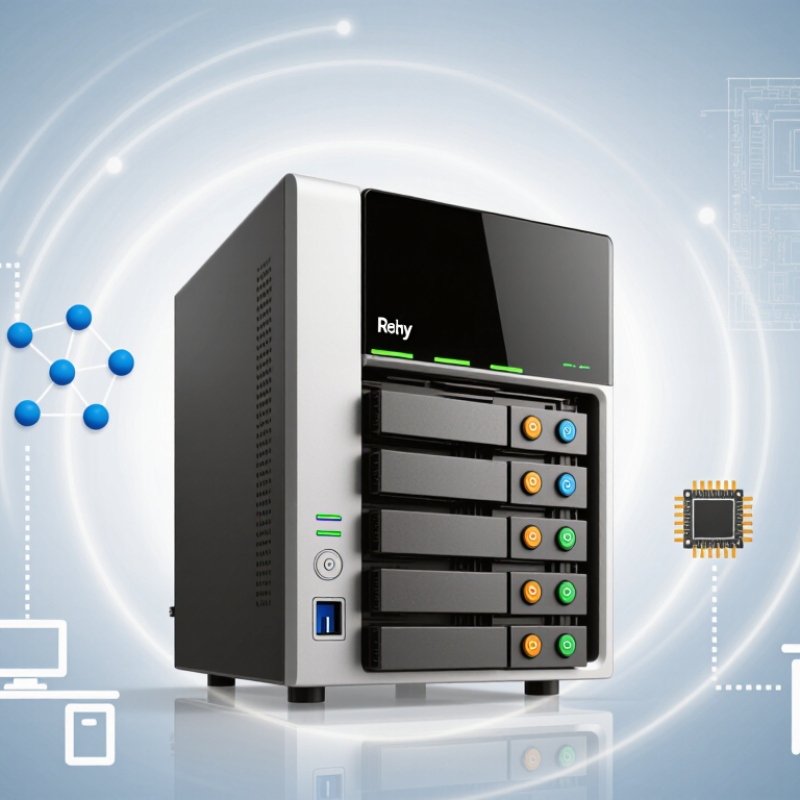
Identify Your Storage Needs and Performance Requirements
Before choosing a TrueNAS server, map what it will store and who will use it. Estimate usable capacity, not just raw drive space. A 4K video archive, for example, grows quickly; shared office documents need less space but may require frequent access. IDC’s Global DataSphere forecast projected 291 zettabytes of data worldwide by 2027. That scale is a reminder to plan for growth, not a reason to buy oversized hardware. Leave room for snapshots, redundancy, and future files.
Performance depends on workload. Several users editing large video files need stronger network throughput and faster storage than one person backing up a laptop overnight. Check the speed of your network ports, expected simultaneous users, and the read and write rates your applications actually need. A single fast drive may look impressive in a benchmark, yet mixed workloads can behave differently. Test with representative files when possible. Real use is messier.
Tips: Track current storage use for a few weeks, then estimate one to three years of growth. Separate capacity needs from performance needs. If video editing is occasional, a modest system may be enough; if it is daily, prioritize throughput and memory. Keep a little headroom. A spreadsheet beats guesswork.
Choose the Right TrueNAS Edition and Hardware Platform
Choosing a TrueNAS edition starts with how much support your storage needs. The community edition suits home labs, media libraries, and small offices with someone available to maintain the system. It offers flexibility, but updates and troubleshooting require your own time. Commercial deployments may benefit from a supported edition, especially when downtime affects daily operations. Check current feature and support terms before committing; they can change.
Hardware should match the workload, not a marketing claim. For file sharing and backups, prioritize reliable memory, a modern multi-core processor, and enough drive bays for your planned capacity. ECC memory can help detect certain data errors, though it does not replace backups. Use a compatible storage controller that gives the operating system direct drive access. Keep the operating system on a separate boot device, and choose network speeds that match your switches and clients. A quiet tower may be enough. A rack system may fit better in a busy office. Test drive temperatures and transfer speeds under real workloads before filling every bay. I once underestimated expansion needs; replacing a cramped case later is frustrating. Start with room to grow.
Select Drives, RAIDZ Layouts, and Expandability Options
Choose drives around your real workload, not the largest number on a product label. Estimate usable capacity after parity, then leave room for snapshots, growth, and temporary rebuild needs. Within a RAIDZ vdev, smaller drives can limit usable space, so matching capacities keeps planning clearer. Check drive compatibility, workload rating, and cooling; a quiet office case can still trap heat around tightly packed disks. Keep a separate backup. RAIDZ is not one.
Select RAIDZ1, RAIDZ2, or RAIDZ3 according to the cost of losing data and the number of drive failures you need to tolerate. More parity uses more capacity, but can offer greater protection during a rebuild. There is no perfect layout. Expansion deserves equal attention: confirm your TrueNAS release supports the exact growth method you expect. Adding a disk to an existing vdev may not be supported in every version or configuration; adding another vdev can be the practical route, but it affects pool design. Sketch the initial layout and a future one before buying. A spare drive on a shelf is useful, but it does not replace a tested backup.
Compare Networking, Memory, and Data Protection Features
A good storage server balances network speed, memory capacity, and recovery features against the work it will actually handle. Match network speed to the workload, not the biggest number on a specification sheet. Two fast ports may help several users, but only if the switch, cables, and client devices can use them. Check these details before paying for extra bandwidth. Fast links cannot fix slow disks or a congested network. Measure twice.
Memory needs depend on the size of the data and the services running alongside storage. Leave room for file caching and future growth; running close to the limit can make busy periods less predictable. Error-correcting memory is worth considering where supported, especially for systems that hold important files. More memory is not automatically better, though. An oversized upgrade may bring little benefit for a small, lightly used server.
For data protection, look for scheduled snapshots, replication options, and clear drive-health alerts. A snapshot is useful, but it is not an independent backup. Keep another copy on a separate system or location, then test restoring a few files. That step is easy to postpone. It is also where a protection plan proves whether it works. No setup is perfect, so review capacity and recovery needs as the household or team changes.
How to Choose the Best TrueNAS Server in 2026? - Compare Networking, Memory, and Data Protection Features
| Server profile | Typical drive bays | Suggested memory | Networking | Example ZFS layout | Data protection and best fit |
| Home and light backup | 4–6 | 16–32 GB ECC memory where supported | 1 or 2.5 GbE; 2.5 GbE can improve transfers when the client and network also support it | Four-drive RAIDZ2 for two-drive fault tolerance, or mirrored pairs for simpler incremental expansion | Use scheduled snapshots, periodic ZFS scrubs, and a separate backup. Suitable for household files, photos, and device backups. |
| Small office and shared files | 6–8 | 32–64 GB ECC memory where supported | 10 GbE for multiple users or large transfers; confirm switches, cabling, and clients can use the link speed | RAIDZ2 for a balanced capacity and fault-tolerance choice, or mirrored vdevs when random I/O and easier pool growth matter more | Enable snapshots and replication to another system or off-site destination. Use UPS-backed shutdown and monitoring for business continuity. |
| Virtualization and mixed workloads | 8–12 | 64–128 GB ECC memory where supported; size further for virtual machines and applications | 10 GbE; consider 25 GbE only when the server, clients, and switching infrastructure can sustain the higher throughput | Mirrored vdevs for I/O-heavy workloads, or RAIDZ2 for larger sequential storage; test performance with the intended workload | Use application-aware backup procedures as well as ZFS snapshots. Deduplication can require substantial memory and should be enabled only after workload-specific testing. |
| High-capacity archive and media | 12–24 or more | 64–128 GB ECC memory where supported; account for workload, services, and drive count | 10 or 25 GbE for high-throughput workflows; faster networking does not guarantee faster storage performance | RAIDZ2 for many general-purpose pools; consider RAIDZ3 for pools where three-drive fault tolerance is required | Schedule scrubs, monitor drive health, maintain snapshots, and replicate critical data to an independent system or location. |
Selection notes: ECC memory is a prudent choice when supported by the server platform, but it does not replace backups. RAIDZ and mirrors provide pool-level redundancy, not protection from accidental deletion, malware, theft, or site loss. Usable capacity varies with drive size, layout, formatting, and reserved space; keep independent backups of important data.
Verify Compatibility, Support, and Total Cost of Ownership
Choosing a storage server means verifying the whole system, not just its drive capacity. Check the operating system’s hardware compatibility list for the exact processor, network adapter, storage controller, and drive models. Confirm firmware versions and whether the controller supports the required disk mode. Small details matter. A controller that works in one configuration may cause trouble after an update. Test a replacement drive and a recovery procedure before moving important data.
Support deserves the same scrutiny as hardware. Ask who handles incidents, what response times apply, and how long replacement parts remain available. Uptime Institute’s 2024 outage analysis found that 54% of respondents’ most recent significant outages cost more than $100,000; 16% exceeded $1 million. Downtime gets expensive. Estimate total cost of ownership across several years, including electricity, rack space, backup capacity, support, staff time, and eventual hardware replacement. Measure power draw under a realistic workload, not only at idle. A spreadsheet can still miss the labor spent troubleshooting a poor fit. I would leave room for that uncertainty rather than trust a neat, low estimate.
How to Choose the Best TrueNAS Server in 2026?
Verify hardware compatibility, support coverage, and total cost of ownership before you buy. The chart compares approximate raw capacity for one 8-drive RAIDZ vdev using equal-size drives; it is not a hardware performance benchmark.
Higher parity uses more drive capacity but can provide greater redundancy. Actual available space is lower due to filesystem metadata and operational headroom. Before choosing a server, verify that its storage controllers, network adapters, and drives are compatible; then compare warranty and support terms, power use, and replacement-part costs.